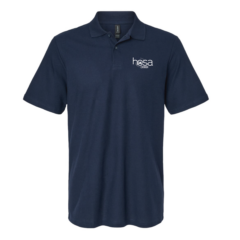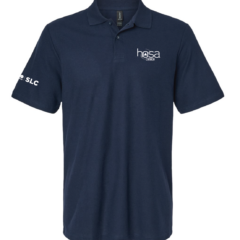
For the 2025-2026 academic year, the registration fee per student is $150. This fee includes access to study materials for competitive events, allows students to compete in all HOSA Canada conferences (FLC and SLC), allows students to participate in all workshops and seminars, as well as general benefits associated with being a HOSA member which include scholarships, summer research program opportunities, and more.
All students must register as part of a School Chapter or Community Chapter. A list of registered chapters will be published on our registration website for you to verify. If you are unsure if your school has a chapter, reach out to your school’s administration or email us at info@hosacanada.org. Students are not eligible to register for the conference independently.
Students must accept their invitation from their Chapter President or Advisor, register, and pay their fee before October 31, 2025 at 11:59 PM ET to participate in the Fall Leadership Conference (FLC). This is not a qualifying conference and is meant as an opportunity for practice and to see where students stand amongst their peers. Students do not need to register again for the Spring Leadership Conference (SLC), as the registration fee includes both conferences.
If students register after October 31, 2025 at 11:59 PM ET, they will not be able to participate in FLC, but can still participate in SLC and attend workshops throughout the year. The registration deadline for SLC is February 6, 2026 at 11:59 PM ET.
| FLC 2025 | SLC 2026 | |
| Student Registration / Event Selection / Team Selection / Refund | October 31, 2025 | February 6, 2026 |
| Submission Deadline (if applicable)* | October 31, 2025 | February 6, 2026 |
*Not all events will have a submission – please review the event guidelines for specific details.
Due to the growing demand for membership and reaching conference capacity early, HOSA Canada has introduced a Virtual Membership for students who are interested in studying and preparing for the 2026-2027 school year. This membership is now available for interested students who are not already registered with HOSA Canada.
The virtual membership is offered at the same cost as our student membership registration ($150) and provides access to:
- HOSA Canada resources for all Competitive Events
- All online seminars for the remainder of the year and access to our recorded seminars
- Participation in a virtual spring conference (similar to FLC), which includes:
- Non-competing and non-ranking participation in any Competitive Events offered by HOSA Canada. Students will write the exam online during the virtual conference and the score will not be used to qualify for ILC or rankings.
- Competing and ranking in any NGL/Cengage Academic Testing Centre (ATC) Exams offered by HOSA Canada. Students will write the exam online during the virtual conference and the score will be used to qualify for ILC and ranked across all members in Canada.
- Eligibility to apply for scholarships and other volunteer or internship opportunities offered by HOSA Canada and HOSA, Inc.
Please note that purchase of the Virtual Membership does not grant access to HOSA Canada’s 2026 Spring Leadership Conference.
| Virtual Conference 2026 | ||
| Student Registration / Event Selection / Team Selection / Refund | February 6, 2026 | |
| Submission Deadline (if applicable)* | February 6, 2026 |
*Not all events will have a submission – please review the event guidelines for specific details.
For more information about the Secondary Virtual Conference, click here.
Due to unprecedented demand and the early closure of registration for the 2025–2026 HOSA Canada academic year, many post-secondary students across the country have expressed strong interest in participating in our competitive programming despite being unable to register through their institution. In response to this feedback, HOSA Canada has introduced a Post-Secondary Membership, now available to all interested college and university students for the 2025–2026 year.
This membership provides post-secondary students with the opportunity to compete in all competitive events offered (in Canada) entirely online, with full eligibility to qualify for the International Leadership Conference (ILC).
The post-secondary membership is offered at the same cost as our student membership registration ($150) and provides access to:
- HOSA Canada resources for all competitive events
- All online seminars for the remainder of the year and access to our recorded seminars
- Participation in an online spring conference, modelled after our Fall Leadership Conference (FLC)
- Eligibility to apply for scholarships and other volunteer or internship opportunities offered by HOSA Canada and HOSA, Inc.
The top three competitors/teams from each event at the Post-Secondary Virtual Conference will be offered the opportunity to compete at the International Leadership Conference (ILC).
| Post-Secondary Virtual Conference 2026 | ||
| Student Registration / Event Selection / Team Selection / Refund | February 6, 2026 | |
| Submission Deadline (if applicable)* | February 6, 2026 |
*Not all events will have a submission – please review the event guidelines for specific details.
For more information about the Post-Secondary Virtual Conference, click here.
HOSA Canada offers refunds (less a $5 credit card administration fee) for the registration fee as long as you submit a request prior to the refund deadlines.
If you paid prior to the FLC 2025 registration deadline (October 31, 2025 at 11:59 PM ET), you cannot request a refund after this date.
If you paid after October 31, 2025 at 11:59 PM ET, you have until February 6, 2026 at 11:59 PM ET to request a refund.
Please note that if you attended two or more virtual seminars, you are ineligible to receive a refund, regardless of when you paid.
To request a refund, please ask your Chapter President or Advisor to remove you as a chapter member from their account. Once this is done, please send an email to info@hosacanada.org with your full name, school, and account username to initiate the refund process. Please note that you cannot request a refund on behalf of someone else.
Part 1: Creating an Account
1. Once your chapter president or advisor has registered your chapter and added you as a student on our registration portal, you should receive a welcome email with a link to set your password. The email may be in your spam or promotions folder.

2. When you click on the first link, it will take you to our registration portal where you can set a password for your account.
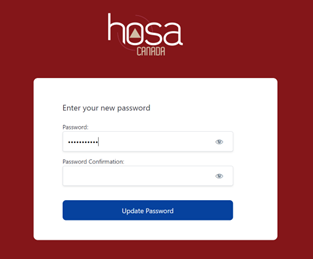
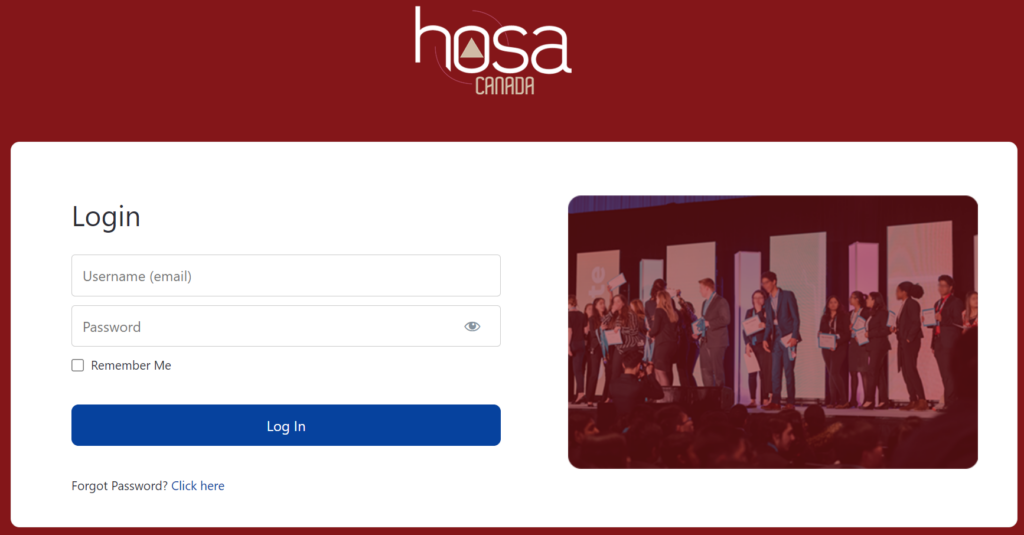
3. After you set your password, you will be redirected to hosa-member.ca/login/, where you can login with the email (same as the one the welcome email was set to) and the password you just set. Here you will be able to make payments, edit account information, and access your resources.
Part 2: Registering for an event and making payments
1. After logging in to your account, visit this link to create your member account. This link can also be found by clicking on “Register” and then “Member” from the homepage of the registration portal. It will take you to a form where you can select your event. You will also have to provide demographic information, which you are required to submit due to International HOSA regulations. Please ensure that the email you enter here is the same as your previously registered member account.
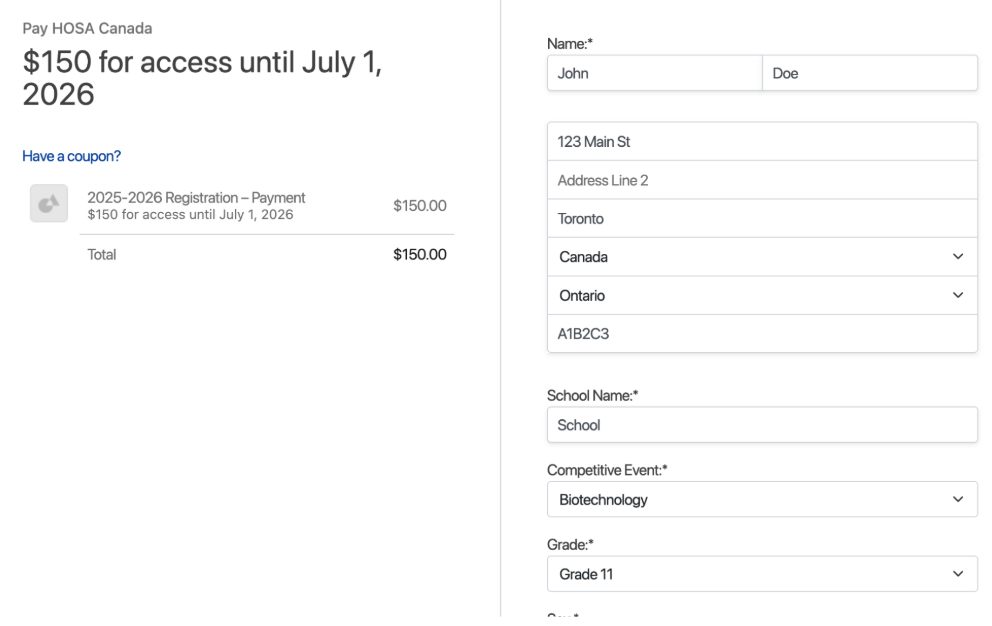
2. Once you have completed the form, you will be able to pay for your membership.
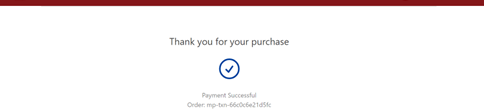
3. Upon completing and submitting the payment information, you will see a “Thank you” page with your order ID displayed.
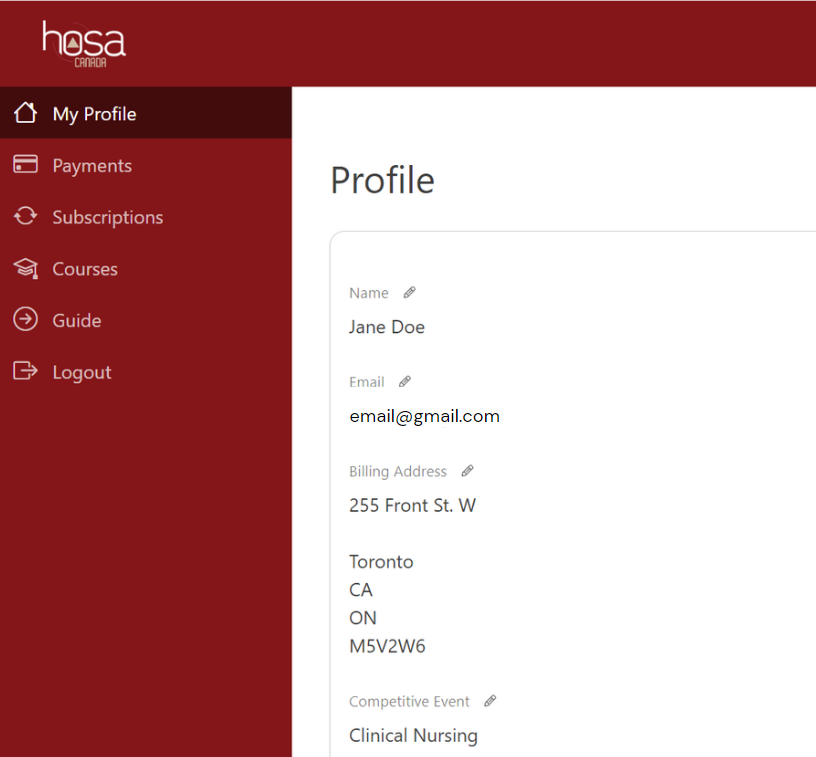
4. You can log back in at hosa-member.ca/login/ and view your completed payment details by right-clicking on “Payments” in the left menu. You can also ensure your membership registration is complete by checking the subscription page. You should see both “2025-2026 Registration” and “2025-2026 Chapter Account” if you are fully registered.
1. Once you have completed your registration and payments, you will gain access to your resources immediately.
2. To access your resources, you can click here or you can log in at hosa-member.ca/login/ and right-click on “Courses” in the left menu and then click on your event. To promote your learning and enrichment, this year you will have access to all event resources however the one indicated on your profile is the only event you will be competing in.
3. Both of these options will take you to a new page where you can access your study resources.
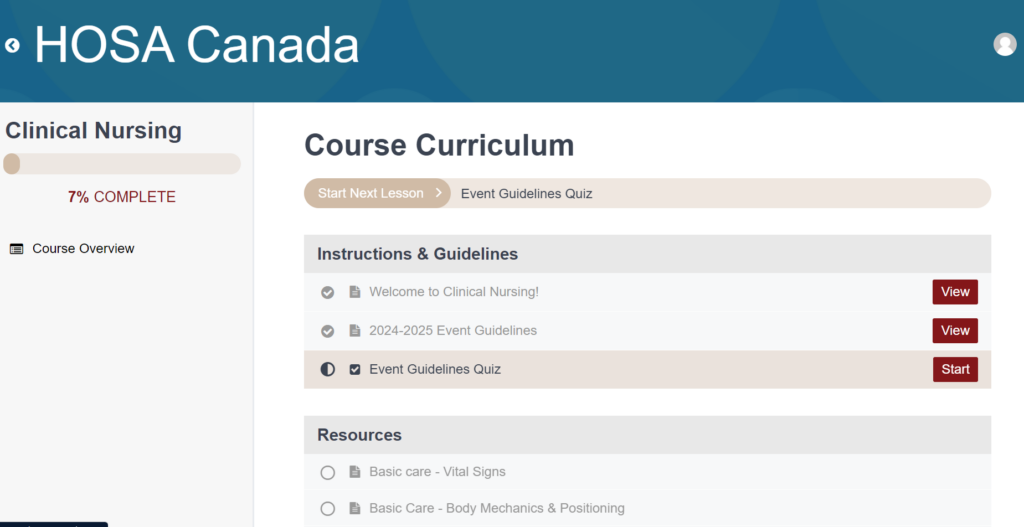
4. Your course will begin with a quick overview of your specific event’s guidelines and a short quiz. You must pass the quiz to access your study resources.
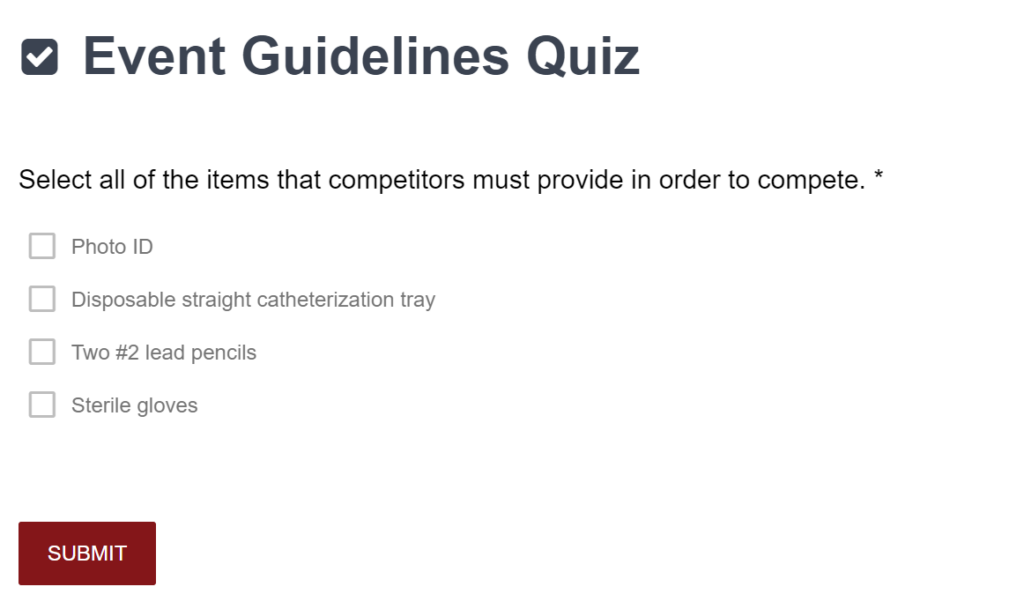
5. Always view your resources in a maximized window. The practice exam(s) for your event will be available as soon as you have access to your resources. You will have unlimited tries for these practice exams.
1. Upon logging in at hosa-member.ca/login/, you can change your event, name, and email address under “My Profile” by right-clicking on the pencil next to the field you want to change. Events can be changed until the registration deadline for each conference. The registration/event change deadlines are October 31, 2025 at 11:59 PM ET for FLC and February 6, 2026 at 11:59 PM ET for SLC. After these deadlines, you will not be able to edit your event anymore.
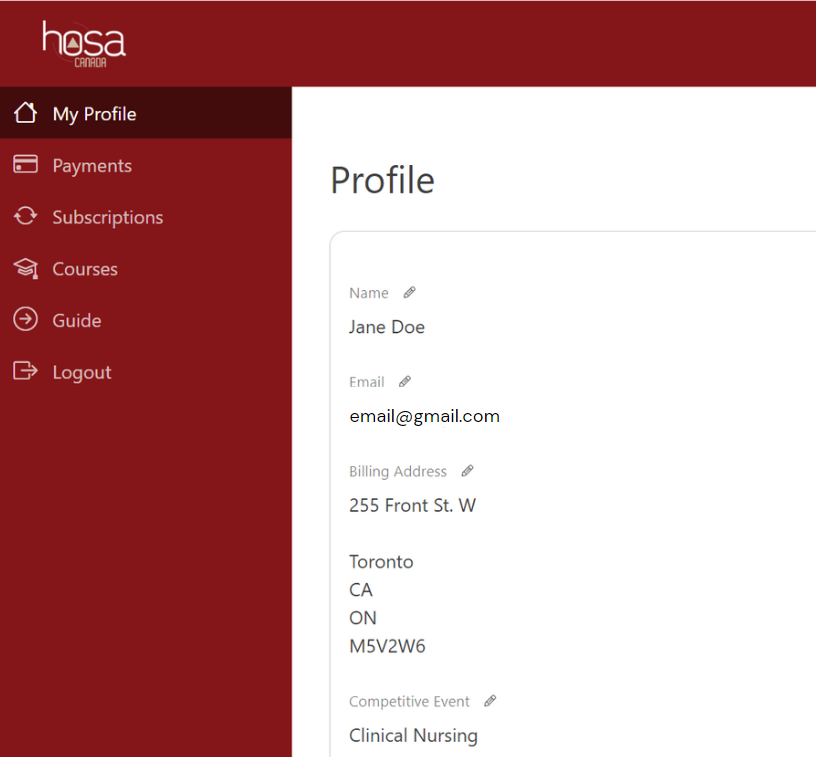
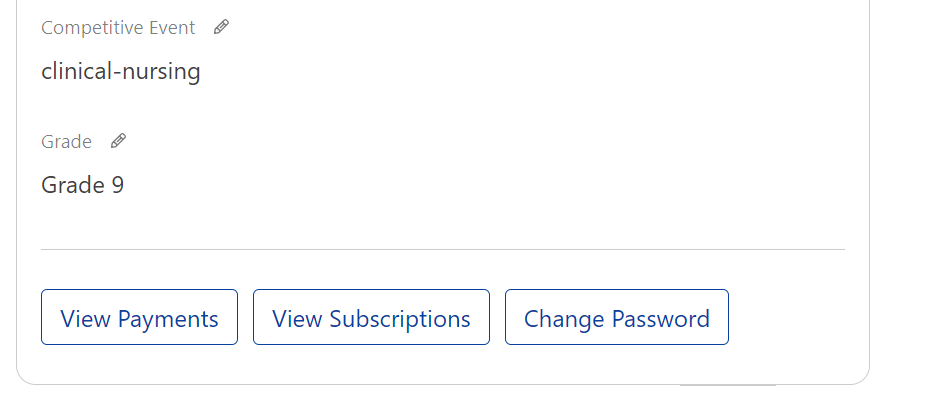
2. Changing your account password can also be done through this page by scrolling to the bottom of the page and right-clicking on “Change Password”.
NOTE: Only ONE person from your team should send the team requests to all team members.
Part 1: Sending Teammate Requests
1. Log in to hosa-member.ca with the email address you used to complete registration of your member account.
2. Click “Account” on the homepage.
3. In the left menu, click “Teams”.
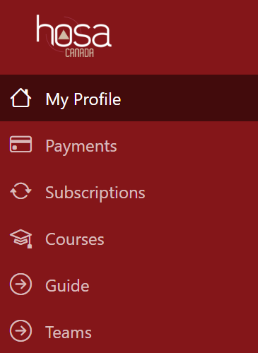
4. Confirm that the event listed at the top of the page is correct. If not, please click on “My Profile” in the left menu and edit your event to list the correct one.
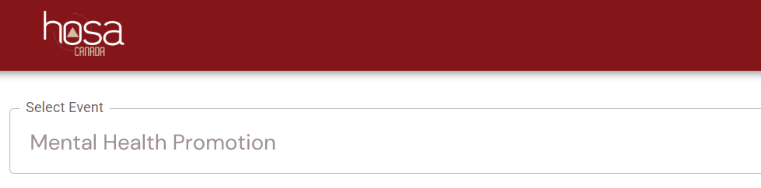
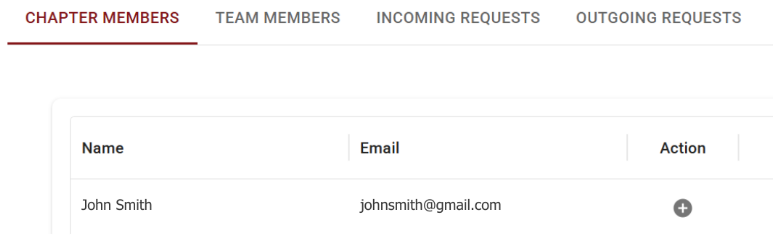
5. Under the “Chapter Members” tab, there is a list of students in your chapter who are registered for the same event as you. To send a request to create a team, click on the “+” button next to your team member’s name.
6. Please have one person from your team send the requests to all team members.
7. Once the requests have been sent, wait about 5 minutes before refreshing the page and checking the “Outgoing Requests” tab to ensure your requests have been sent.
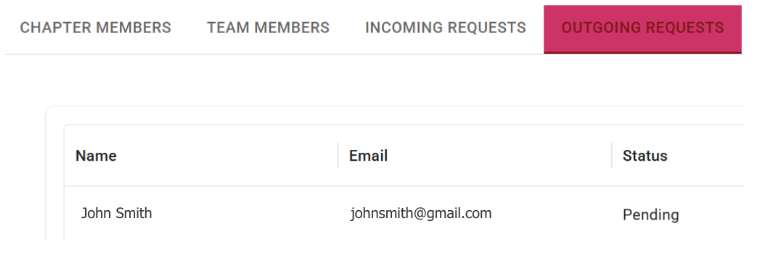
8. Your teammate(s) should log in at hosa-member.ca to view the invite under “Incoming Requests”. Please note that your teammate(s) will only have 7 days to view and accept your invitation before another invitation must be sent.
Part 2: Accepting Teammate Requests
1. Log in to hosa-member.ca with the email address you used to complete registration of your member account.
2. Click on “Account” on the homepage.
3. In the left menu, click “Teams”.
4. Click “Incoming Requests” to view the teammate requests. Please note that any requests older than 7 days will be automatically deleted. After this, another invitation must be sent.
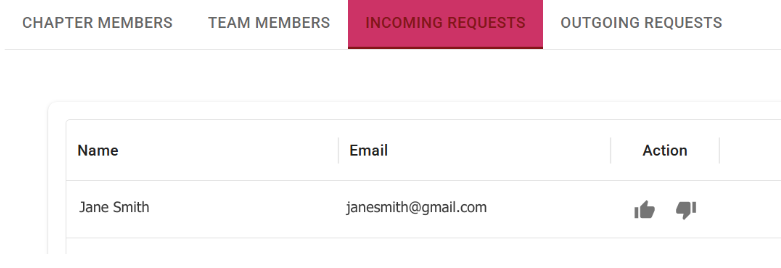
5. Click the thumbs-up next to your teammate’s name to accept their request.
6. Wait five minutes and refresh the page to check the “Team Members” tab to ensure that your teammate is now registered.
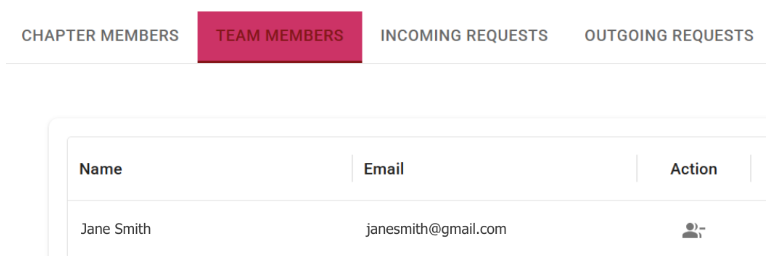
7. Once a team has successfully been registered according to the steps above, ANY team member can remove other team members—or be removed themselves—at any time by clicking the minus button in the ‘Action’ column. Please be cautious not to accidentally remove any members of your team as this action cannot be undone.
The steps listed above must be completed by October 31, 2025 at 11:59 PM ET for the 2025 Fall Leadership Conference and by February 6, 2026 at 11:59 PM ET for the 2026 Spring Leadership Conference. Students who fail to do so will be switched to an individual event after the registration deadline.
Part 3: Switching Team Events
1. Change your event by editing the event listed under “My Profile”.
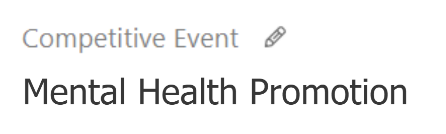
2. Ensure that the “My Profile” tab now lists your new event.
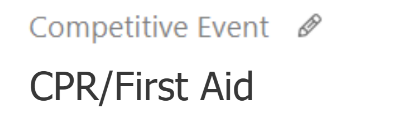
3. In the left menu, click “Teams”.
4. Reach out to your team members to ensure their events are updated to the new event under “My Profile” on hosa-member.ca before proceeding to the next step.
5. Please have one person from your team complete Part 1: Sending Teammate Requests from this team registration guide for all team members.
6. After this, the other team members must complete Part 2: Accepting Teammate Requests from this team registration guide to complete team registration.
The steps listed above must be completed by October 31, 2025 at 11:59 PM ET for the 2025 Fall Leadership Conference and by February 6, 2026 at 11:59 PM ET for the 2026 Spring Leadership Conference.